
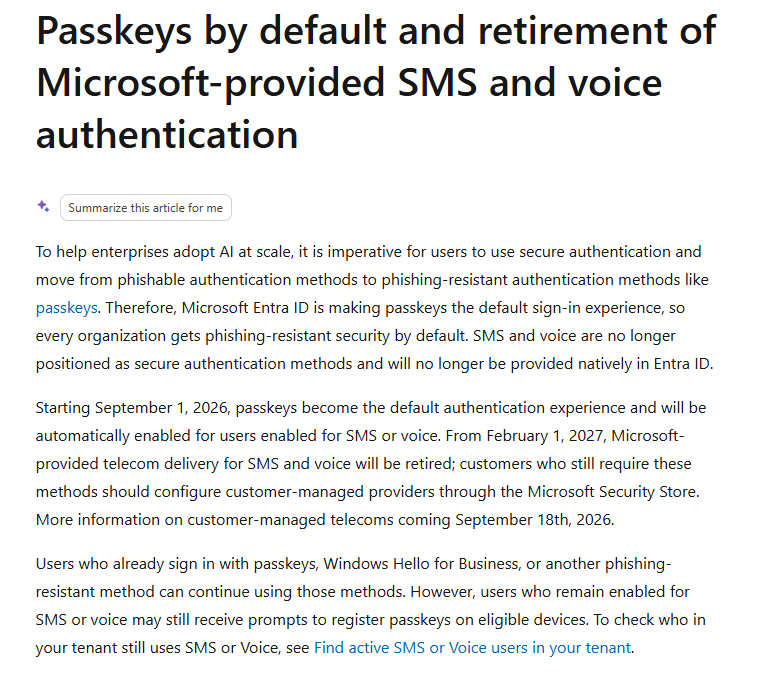
Microsoft is changing how organisations authenticate users in Microsoft Entra ID. From 1 February 2027, Microsoft-provided SMS and voice authentication will be retired, making preparation for phishing-resistant authentication an immediate identity-security priority.
For organisations still relying on text messages or telephone calls for multi-factor authentication (MFA), this is not simply another Microsoft feature update. It affects how users access Microsoft 365 and potentially how organisations design Conditional Access, administrator protection and their wider identity-security strategy.
What is changing?
Microsoft’s transition takes place in two significant stages.
From 1 September 2026, users who are enabled for SMS or voice authentication will automatically be enabled for passkeys. When eligible users next sign in and complete MFA, Microsoft can prompt them to register a passkey. Microsoft will also move the relevant Registration Campaign configuration towards its managed state.
The more important date is 1 February 2027.
From that point, Microsoft will stop providing SMS and voice delivery natively through Microsoft Entra ID. Organisations that still have users whose only available MFA method is SMS or voice could experience sign-in disruption. Microsoft says these users will be required to register a passkey before they can continue signing in, and the registration prompt will be blocking.
There is no opt-out from the February 2027 enforcement.
Why is Microsoft making the change?
The issue is the strength of the authentication method.
SMS and voice authentication can be vulnerable to attacks such as phishing and SIM swapping. Microsoft is moving towards phishing-resistant authentication, with passkeys becoming its default direction for Microsoft Entra ID.
Passkeys use cryptographic credentials rather than shared secrets. Microsoft supports both synced passkeys, such as those held in platform credential managers, and device-bound credentials including Microsoft Authenticator passkeys, Windows-based credentials and FIDO2 security keys.
For businesses, this creates an opportunity to do more than replace one MFA method with another. It is a useful trigger to review whether the organisation’s overall identity controls remain appropriate.
The biggest risk is waiting until the deadline
For many organisations, SMS MFA was introduced incrementally. Some employees may use Microsoft Authenticator or Windows Hello, while older accounts, occasional users, contractors or administrators may still depend on SMS.
That creates several questions IT teams should answer now:
- Who still relies on SMS or voice authentication?
- Which authentication methods are actually registered and being used?
- Are passkeys or other phishing-resistant methods enabled and suitable for the workforce?
- Will existing Conditional Access policies work as intended after the migration?
- Are privileged and administrator accounts appropriately protected?
- Are emergency access accounts documented and tested?
- How will users be migrated without creating a spike in support incidents?
Microsoft specifically recommends identifying users currently enabled for SMS or voice before planning the migration.
What should organisations do now?
A controlled migration is preferable to waiting for Microsoft to enforce the change.
1. Establish your current authentication baseline.
Identify users who are enabled for or dependent on SMS and voice MFA. Do not assume that enabling Microsoft Authenticator previously means every account has moved away from SMS.
2. Decide on the target authentication methods.
Microsoft recommends passkeys as the primary migration path where possible. Windows Hello for Business and FIDO2-based methods can also form part of a phishing-resistant authentication strategy.
3. Review Conditional Access at the same time.
Authentication methods should not be considered in isolation. Review how access policies apply to administrators, standard users, external users, devices and higher-risk scenarios.
4. Validate emergency access arrangements.
Changes to authentication and Conditional Access can create lockout risk if they are poorly implemented. Emergency access arrangements should be established and tested before wider enforcement.
5. Pilot before broad deployment.
Move a controlled group first, monitor the outcome and resolve usability or policy issues before migrating the wider organisation.
6. Communicate with users.
Microsoft recommends a phased communication approach covering awareness, action and reminders. This can significantly reduce avoidable service-desk demand when registration begins.
What if an organisation still needs SMS or voice?
Microsoft is not saying that every organisation must eliminate telecom-based authentication under every circumstance.
For organisations with a genuine operational or regulatory requirement, Microsoft is introducing the ability to use customer-managed telecommunications providers through the Microsoft Security Store. Microsoft nevertheless recommends phishing-resistant authentication as the default migration approach wherever possible.
This should be treated as an exception based on a defined requirement, rather than a reason to postpone migration for the wider workforce.
This is an identity-security project, not just an MFA change
The organisations best prepared for February 2027 will not be those that simply replace every telephone number with a passkey.
They will use the change to establish a stronger Microsoft 365 identity baseline covering:
MFA → phishing-resistant authentication → Conditional Access → administrator protection → emergency access → controlled ongoing identity governance.
That approach reduces the risk of rushing configuration changes close to the deadline and provides a better foundation for Microsoft 365, Copilot and wider cloud adoption.
How Stygian can help
Stygian’s Microsoft Entra Access Baseline Quickstart helps organisations assess and strengthen the identity controls surrounding Microsoft 365, including authentication methods, Conditional Access, administrator protection and emergency access.
For organisations that need a broader view, our Microsoft 365 Security Baseline Review examines identity and access alongside the wider Microsoft 365 security environment.
If your organisation still uses SMS or voice MFA, the priority now is to understand the dependency and build a controlled migration plan — before the February 2027 deadline turns it into an urgent one.
Source: Microsoft Learn — Passkeys by default and retirement of Microsoft-provided SMS and voice authentication.
Stygian Cyber Security can help you secure your organisation against threats, ensure compliance and provide you with peace of mind with our range of cyber security solutions.
We’re a friendly and knowledgeable team, so have a browse or give us a call –we’re ready when you are.
Reference:
IBM Cost of a Data Breach Report 2025 – https://www.ibm.com/reports/data-breach
This information is licensed under the Open Government Licence v3.0 except where otherwise stated.